
Advertising Page Localization: How to Adapt Content and Test It From the Right GEO
16.11.2026
Before launching a German campaign, follow the page's main button. If it opens an English form, the visitor needs another language to continue. Localization checks should catch that break before launch.
What to localize beyond the text
For a quote request, write the button text alongside the form it opens. The wording of this call to action (CTA) should carry through to the linked page. Tone, layout, regional offers, currency and date formats also belong in the review wherever they appear.
For the page itself, Money Safe offers WordPress or HTML builds with a domain, hosting and content in the requested language. Give the team the intended URL, page structure and local offer. At phone width, a translated button label may split across three lines. Adjust the layout before signing off the page.
Why test from the right GEO
GEO here means the connection's country. A site may use a visitor's IP to select content or redirect them. A visit from your office may therefore show a different result from one made in the target market.
Suppose you're testing a page for Germany. For the test, connect through a German IP from MangoProxy. For a first-time visitor's view, use a fresh German-language profile without signing in. Then repeat with the saved language choice or account you want to test. This helps separate a page problem from a saved preference that changing IP leaves untouched.
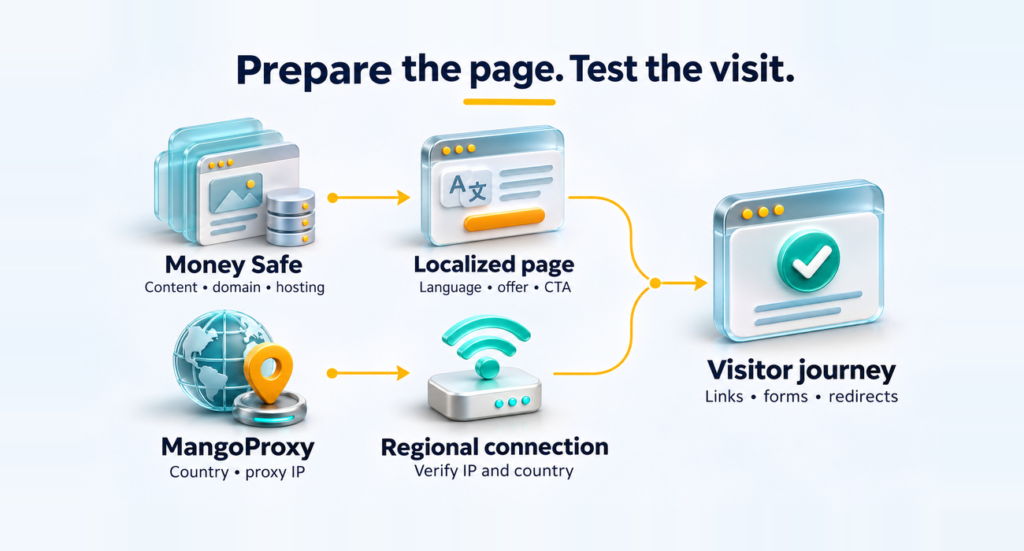
Alt: Money Safe and MangoProxy flows combine a localized page and a regional connection to test links, forms and redirects.
How to test a localized page before launch
- Prepare the local version and note the expected language, offer and destination URL.
- Check links, forms and CTAs, including the confirmation after a test submission.
- Check that the proxy product offers the country in your test plan, then select it as the GEO.
- Enter the proxy's connection details in a fresh test profile. In that profile, use an IP lookup to confirm the public address and country before loading the page.
- Load the localized URL in this profile, keeping the proxy connected for the rest of the visit.
- Follow the visitor journey. Compare language, content, redirects, currency and other local elements against the expected result.
- Record mismatches, correct the page and repeat the journey before launch.
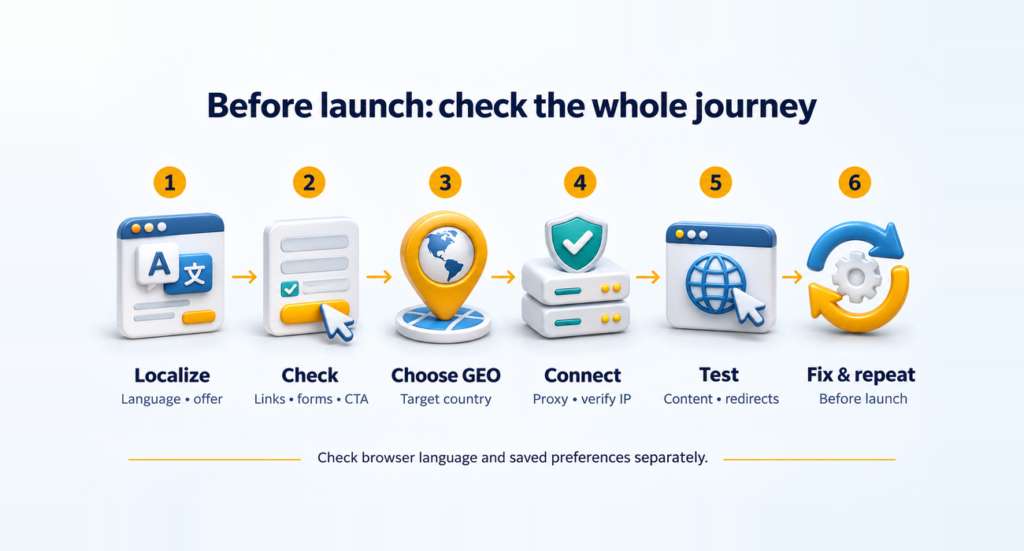
Alt: Page testing sequence: localize, check links and forms, choose GEO, connect and verify IP, test content and redirects, fix and repeat.
Static IP or rotation
A static ISP proxy keeps one IP from an internet service provider's network. It suits a continuous check within one stable session. Use promo code MONEY for 7% off MangoProxy static ISP proxies.
Rotating proxies suit independent checks from different IPs. To test another country, change the GEO selection too: rotation does not by itself select the country you need.
Use Money Safe to get the page, domain and hosting ready for the market. Then take the finished URL through MangoProxy's regional connection and follow it to the form confirmation. Any correction needs another visit before the campaign goes live.